
/Swept%20Website/All%20Icons/icons/scheduled%20event.svg)


Keep Every Shift Covered, Without Chasing the Details
Build recurring schedules, keep teams aligned, and spot what needs attention this week, from time off requests to missed shifts and overtime risk.
Your Scheduling Command Center
Swept gives admins and managers the tools to build schedules, update teams, and stay ahead of weekly staffing issues without relying on spreadsheets, texts, or separate scheduling apps.
Recurring Schedules That Match Your Contracts
Set up recurring shifts once and keep work aligned with your service agreements.
- Create daily, weekly, or custom recurring shifts
- Assign cleaners to the right locations
- Add one-time work orders when extra work comes up
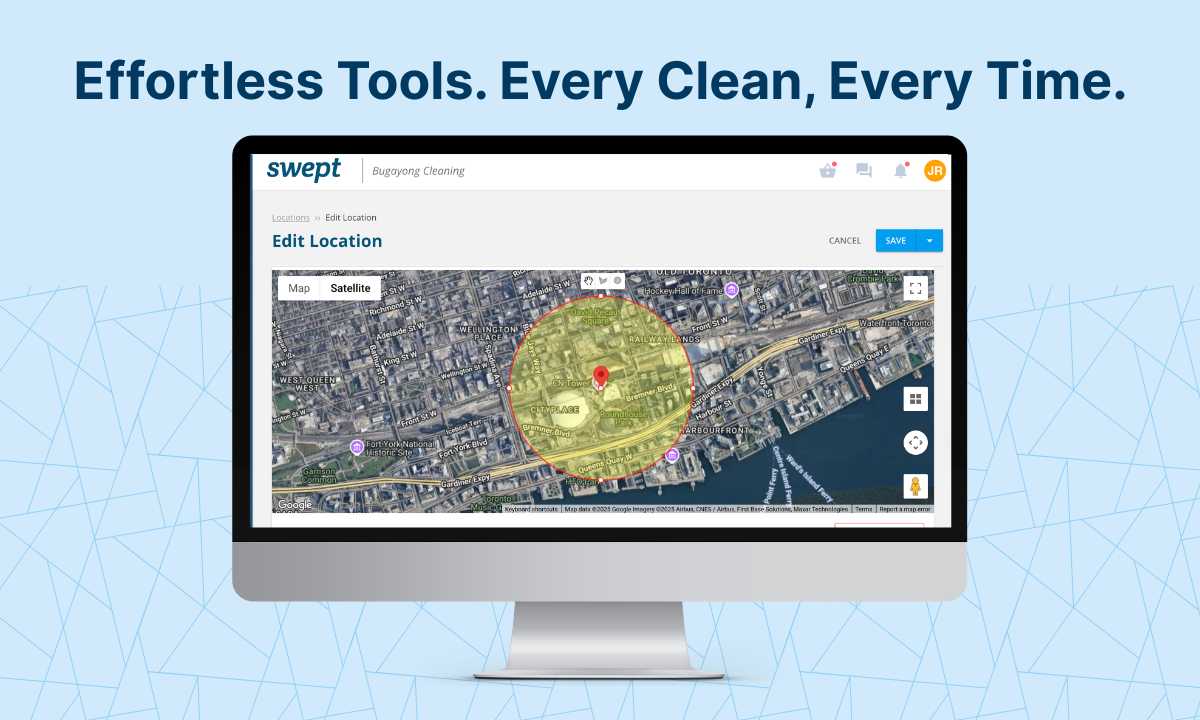
- Real-time map views so you always know where cleaners are assigned
/2024%20Product%20Assets/2024-%20Product%20Images%20and%20Videos/Recurring%20Schedule.jpg?width=860&t=1758553003241)
Instant Schedule Access for Your Team
Give cleaners and supervisors the schedule details they need, right from their mobile app.
- Instant alerts for new, late, or missed shifts
- Location details with addresses, parking, and security notes
- Keep teams informed when shifts change
- Reduce back-and-forth texts about where to go and when
/2024%20Product%20Assets/2024-%20Product%20Images%20and%20Videos/Cleaner%20Schedule%20Clock%20In.jpg?width=860&t=1758554262003)
Schedule Visibility That Helps You Stay Ahead
See shifts by Calendar, Location, or Team so you can review the week from the view that works best.
- Dynamic map view of every location and active shift
- Review schedules across locations
- See team assignments and weekly scheduled hours
- Open shift details when something needs attention
/Schedule%20Calendar%20Alerts.png)
Plan Around Time Off Before It Leaves a Shift Open
Cleaners can request time off from the mobile app, while managers review requests on web, see affected shifts, and reassign coverage when approved.
- Cleaners submit time off requests from the mobile app
- Admins and managers review and approve requests
- See affected shifts before approving time off
- Approved time off removes the cleaner from affected shifts
/Time%20Off%20Request%20Mobile.png)
More Than a Calendar. A Weekly View of What Needs Attention.
The Schedule Calendar View helps admins and managers see the week more clearly. View schedules by Calendar, Location, or Team, spot unassigned shifts, missed shifts, late arrivals, and scheduled overtime, then act before small staffing issues become bigger problems.
/Schedule%20Calendar%20(4).png)
Spot Coverage Gaps
See unassigned shifts faster.
Catch Attendance Issues
Spot missed shifts and late arrivals.
Prevent Overbooking
Flag scheduled overtime risk.
Read Shifts Faster
Color-coded shifts make schedules easier to scan at a glance.
The Hidden Cost of Schedule Chaos
Coverage Gaps Become Client Problems
An unassigned shift or missed clean can turn into a client complaint fast if no one catches it early.
Overtime Can Sneak Up on You
When schedules change throughout the week, it gets harder to see who is being overbooked until payroll review.
Texts and Spreadsheets Do Not Scale
As locations, teams, and client expectations grow, manual scheduling creates more room for missed details.
Managers Need to Act Fast
When something goes wrong, your team needs to see the issue, find the shift, and follow up quickly.
One System for Weekly Staffing and Daily Operations
Swept brings scheduling and daily operations into one place. Build recurring shifts, review team schedules, track attendance, and catch overtime risk without jumping between tools.
/2024%20Product%20Assets/2024-%20Product%20Images%20and%20Videos/Scheduling%20Dashboard.jpg?width=860&t=1758553003257)
Schedule Variance Tracking
See how scheduled hours compare to actual worked hours so you can protect margins and prepare payroll with more confidence.
- Compare scheduled and actual hours across locations
- Spot locations that need attention before issues turn into complaints
- Track breaks and lunch times to support compliance and simplify payroll
- Review scheduled weekly hours by team member
- Identify overtime risk before payroll review
/2024%20Product%20Assets/2024-%20Product%20Images%20and%20Videos/Scheduling%20Variance.jpg?width=860&t=1758553003204)
From Chaos to Control in 3 Steps
Build Your Schedule
Create recurring shifts, assign cleaners, and organize work by location.
Keep Your Team Aligned
Cleaners and supervisors can see schedules, location details, updates, and submit time off requests from the mobile app.
See What Needs Attention
Use the Schedule Calendar View to spot coverage gaps, late arrivals, missed shifts, overtime risk, and coverage changes before small issues become bigger problems.